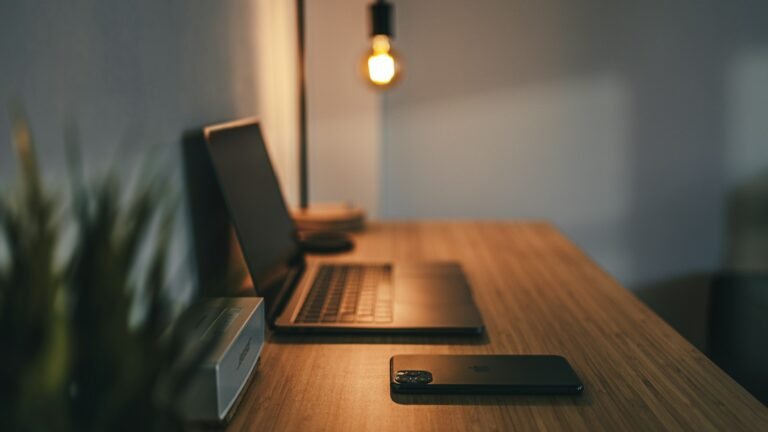

The Budget Home Office Setup: What to Buy First
Disclosure: As an Amazon Associate we earn from qualifying purchases made through links in this article, at no extra cost to you. Learn more
You don’t need a designer office to do great work from home. You need a setup that protects your back, keeps you focused and makes video calls look professional. This guide walks through the pieces that matter most, in the order we’d buy them on a budget.
Spend here first: anything that touches your body for 8 hours a day, meaning your chair, desk height and screen position. Gadgets can wait.
Shop the setup
Quick links to each item on Amazon. Each button opens Amazon’s current selection so you can compare prices, ratings and reviews.


Standing desk converter
Sits on your current desk so you can switch between sitting and standing.
Check price on Amazon
External monitor
24–27″ with an adjustable stand, top edge at eye level.
Check price on Amazon
Keyboard & mouse combo
Wireless for a tidy desk; ergonomic if you type all day.
Check price on Amazon
USB microphone
The biggest single upgrade in how you sound on calls and videos.
Check price on Amazon


As an Amazon Associate, InsightHive earns from qualifying purchases. Photos are illustrative (Unsplash), not specific Amazon listings.
1. An ergonomic chair
If you only upgrade one thing, make it the chair. Look for:
- Adjustable lumbar support that meets the curve of your lower back
- Seat height adjustment so your feet rest flat and knees sit around hip level
- Adjustable armrests that let your shoulders relax
- Breathable mesh if your room runs warm
See ergonomic chairs on Amazon
2. A desk at the right height
Your elbows should rest at roughly 90° when typing. If your current desk is too high or low, a standing desk converter that sits on top of it is a cheaper option than a full sit-stand desk, and alternating positions during the day helps with stiffness.
See standing desk converters on Amazon
3. An external monitor
Working on a laptop screen all day means looking down, which strains your neck. An external monitor with the top edge at or slightly below eye level is a big comfort and productivity upgrade. A 24–27″ screen suits most desks; look for an adjustable stand or VESA mount support.
4. Keyboard and mouse
With a monitor at eye level, you’ll want a separate keyboard and mouse so your laptop can sit on a stand or closed. A wireless combo keeps the desk tidy; if you type all day, consider an ergonomic or split keyboard.
See keyboard and mouse combos on Amazon
5. Webcam, microphone and lighting
For client calls or content creation, these three make you look and sound far more professional:
- Lighting first. Face a window, or add a small desk light or ring light in front of you. Good light improves any webcam.
- A USB microphone is the single biggest upgrade in how you sound.
- A 1080p webcam beats most built-in laptop cameras.
Desk lights USB microphones Webcams
6. Reliable Wi-Fi
If your office is far from the router and calls keep dropping, a mesh Wi-Fi system spreads a strong signal around the house. If you can, a wired Ethernet connection is even more reliable.
See mesh Wi-Fi systems on Amazon
Free upgrades that cost nothing
- Raise your laptop on a stack of books until you buy a stand.
- Follow the 20-20-20 rule: every 20 minutes, look at something 20 feet away for 20 seconds.
- Stand up and move at least once an hour.
- Keep only today’s work on your desk.
Next: 12 desk accessories that make working from home better and our ergonomic home office checklist.
Setting up a home office to start a side business? See 12 realistic side hustles and the AI tools that save the most time.
Free checklist + weekly insights
Get the free Side Hustle Starter Checklist
Pick the right side hustle for your time, skills and budget, then take your first real steps this week. Join for the checklist plus one honest, no-hype insight a week.
Prefer not to sign up? Download the checklist directly (PDF). By subscribing you agree to our Privacy Policy. Unsubscribe anytime.
Disclosure: As an Amazon Associate, InsightHive earns from qualifying purchases. Prices and availability change; check Amazon for current details. This article is general information, not medical advice; if you have ongoing pain, speak to a healthcare professional.